Overview
This guide explains how Mandatory Uniforms work in the Store Module.
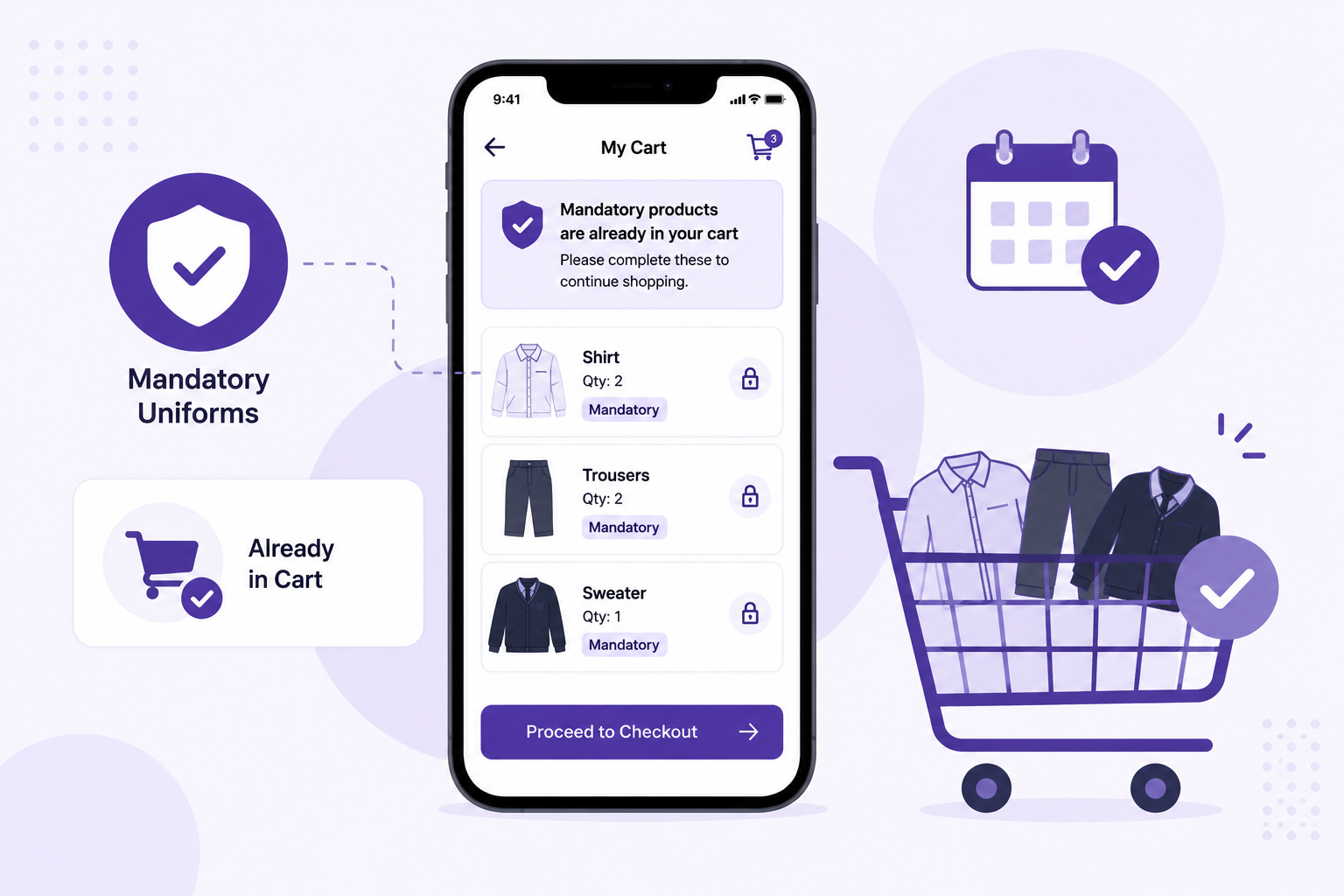
For some students, a few uniforms may be marked as mandatory for the current academic year. These products are automatically added to the cart and need to be purchased first before buying other uniforms.
This article will help you understand:
- what mandatory uniforms are
- how they appear in the cart
- what actions are allowed and not allowed
- what happens if a mandatory product is out of stock
- what happens after mandatory uniforms are purchased
What You’ll Learn
- How mandatory uniforms are shown in the Store Module
- How to identify mandatory products in the cart
- What you can and cannot do with mandatory products
- How to buy other uniforms along with mandatory uniforms
- What happens if a mandatory uniform is out of stock
- When the mandatory logic stops applying
Who Can Use This
Applicable Role:
- Parent
Before You Begin
Before ordering mandatory uniforms, please note:
- some uniforms may already be marked as mandatory for your child for the current academic year
- these mandatory uniforms will be added to the cart automatically
- mandatory uniforms need to be purchased first before buying other uniforms separately
- this logic is applicable only for the current academic year
- once the mandatory uniforms for that academic year are purchased, this logic will not apply again for the same academic year
How Mandatory Uniforms Work
Step 1: Open the Store Module
Log in to the app as a Parent.
Go to: More → Store → All Products
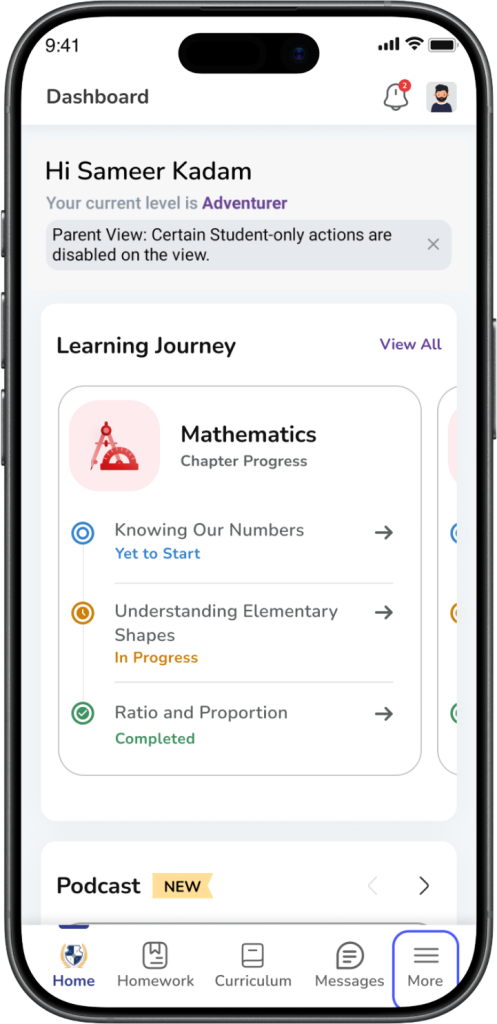
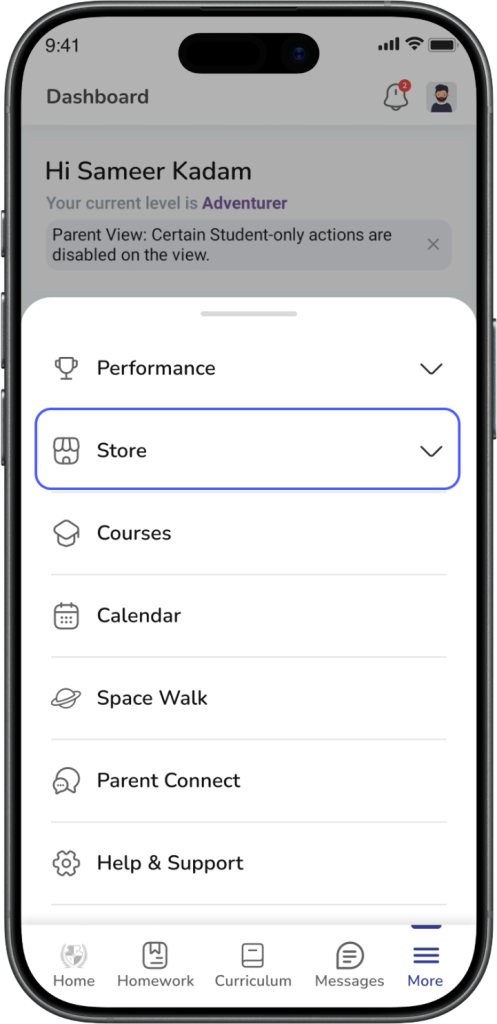
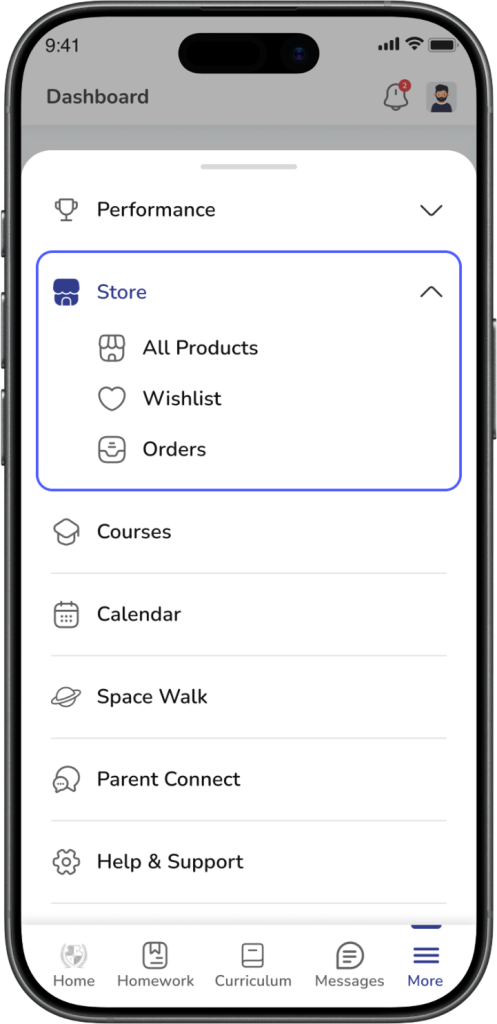
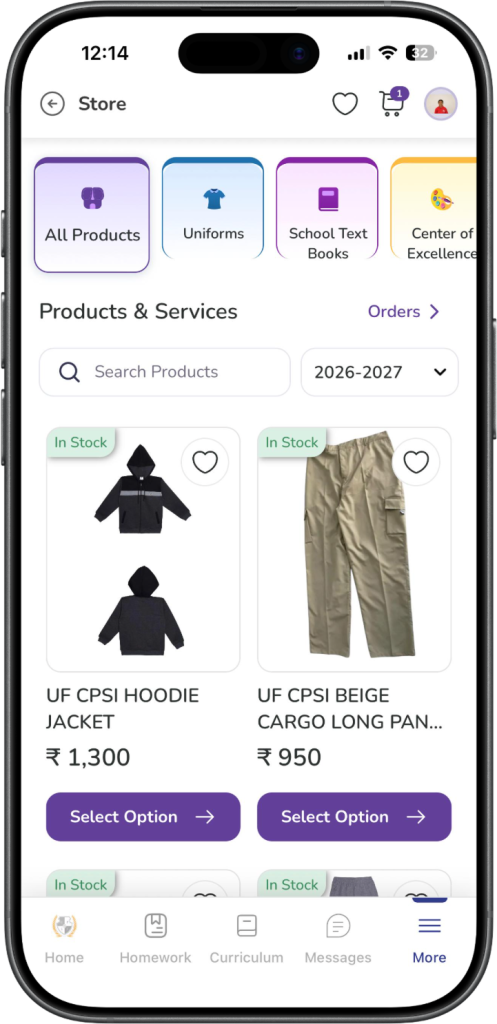
Expected Result: You land on the Store Module page.
Step 2: Check if mandatory products are already added
If mandatory uniforms are applicable for your child, they will already be added to your cart.
You may also see a message or prompt informing you that mandatory products are already in the cart and asking you to continue from the cart.
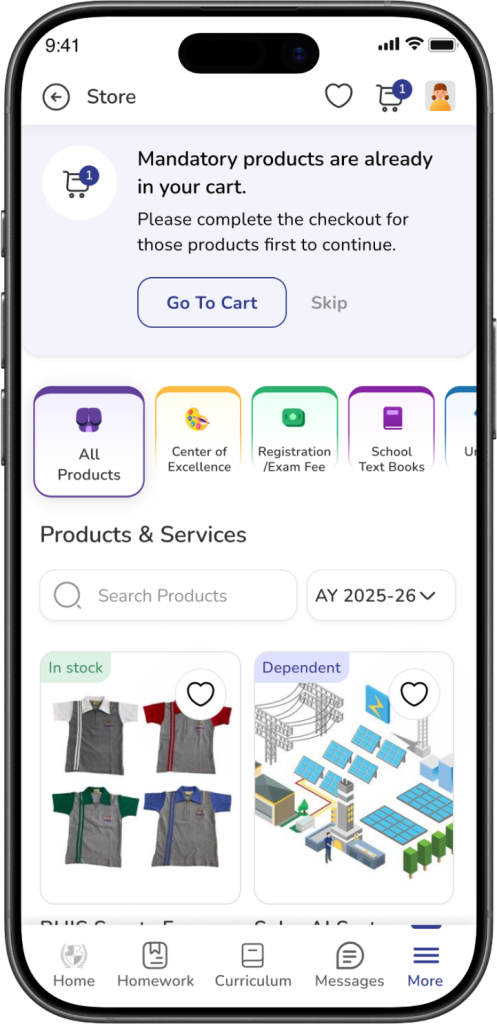
Expected Result: Mandatory products are already available in the cart before you place the order.
Step 3: Open the cart
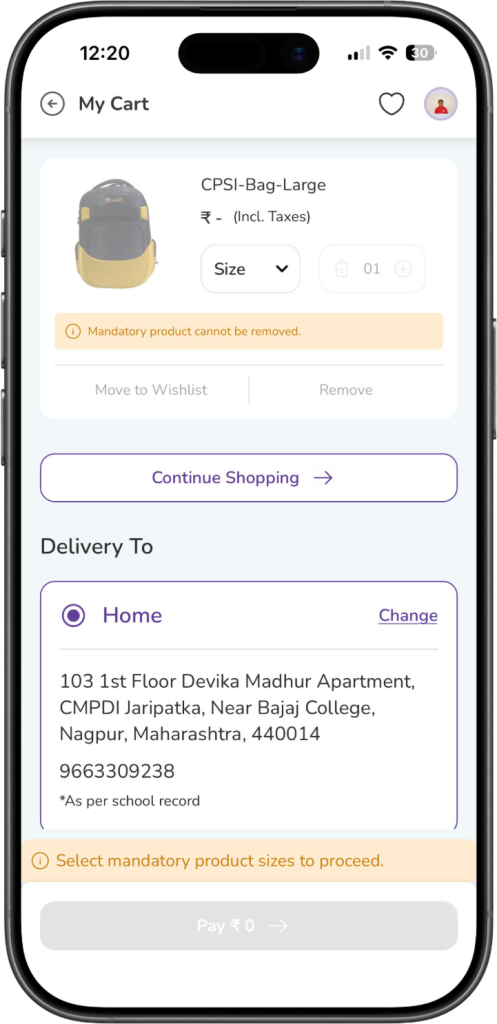
Open the Cart to review the mandatory uniforms.
In the cart, the mandatory products will be clearly shown as products that:
- are already added
- cannot be removed
- must be purchased before proceeding with other uniform purchases
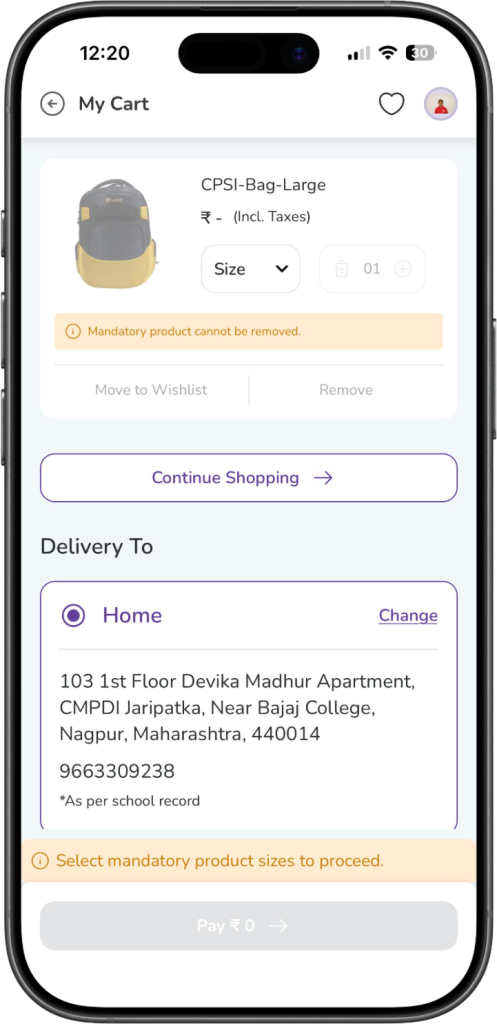
Expected Result: You can see all mandatory products in the cart.
Step 4: Select size for each mandatory product
For every mandatory uniform, you need to select the required size.
Until all required mandatory product sizes are selected, you will not be able to continue with payment.
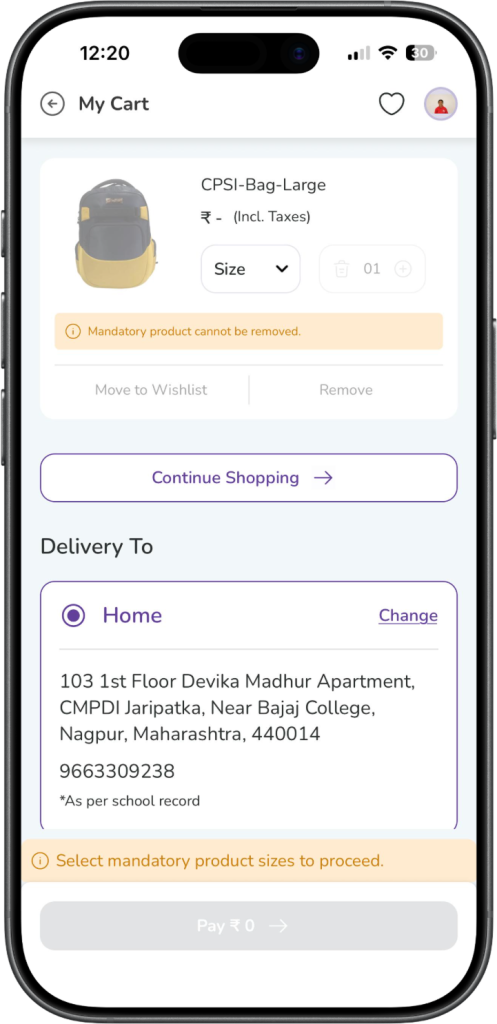
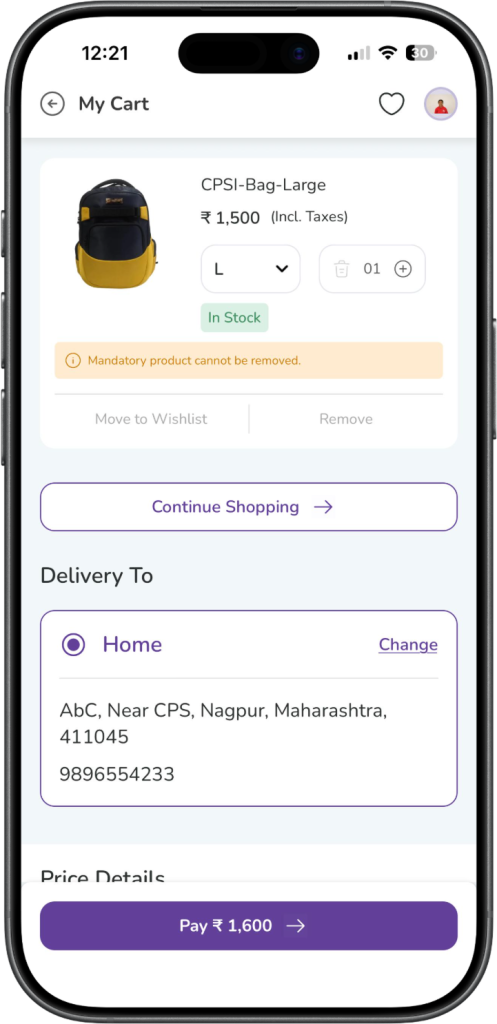
Expected Result: You select the required size for each mandatory product.
Step 5: Review quantity rules
Mandatory products will be added with the required mandatory quantity.
Please note:
- you cannot reduce the quantity below the mandatory quantity
- you cannot remove the mandatory product from the cart
If needed, you may still increase the quantity and buy more than the mandatory quantity.
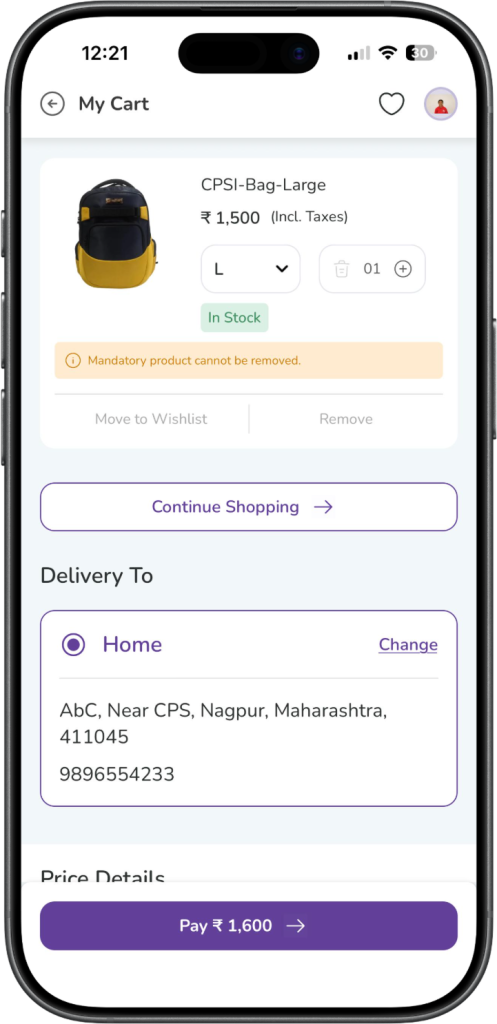
Expected Result: The mandatory quantity remains fixed as minimum quantity in the cart.
Step 6: Complete checkout for mandatory uniforms
After selecting the required sizes and reviewing the cart, continue with checkout and complete the payment.
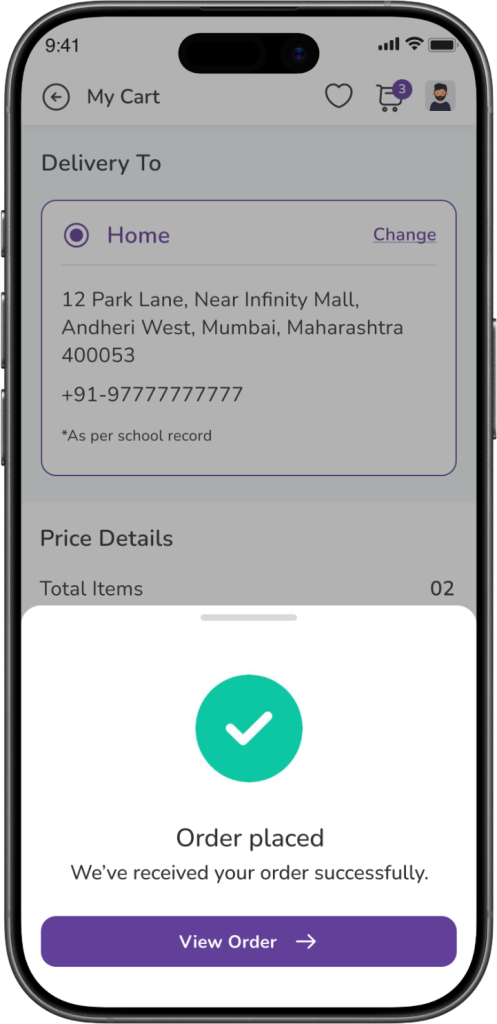
Expected Result: The mandatory uniform order is placed successfully.
Can You Buy Other Uniforms Also?
Yes.
You can add non-mandatory uniforms along with the mandatory uniforms and buy them together in the same cart.
However, if mandatory uniforms are pending in the cart, you cannot skip them and buy only another uniform separately first.
Expected Result: You can buy mandatory and non-mandatory uniforms together, but mandatory products must be completed first.
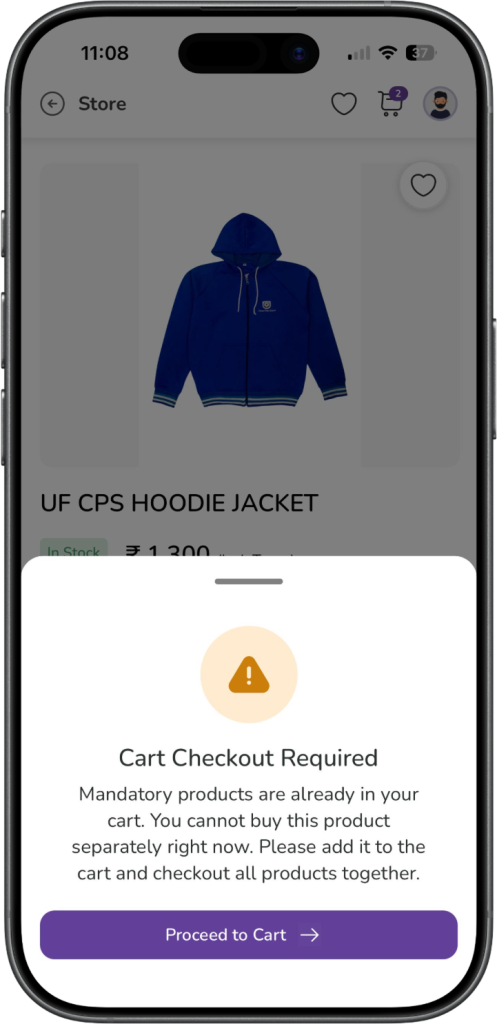
What Happens If You Try to Buy Another Uniform First?
If mandatory uniforms are already pending in your cart and you try to buy another uniform directly, the system will ask you to continue from the cart and complete the mandatory checkout first.
This is because mandatory uniforms must be purchased before proceeding with separate uniform purchases.
Expected Result: You are guided back to the cart to complete the mandatory uniform purchase first.
What Happens If a Mandatory Uniform Is Out of Stock?
If a mandatory uniform is currently out of stock:
- it will still remain in the cart
- it cannot be removed
- you can buy it later once it comes back in stock
If other mandatory uniforms are available in stock, those can still be purchased.
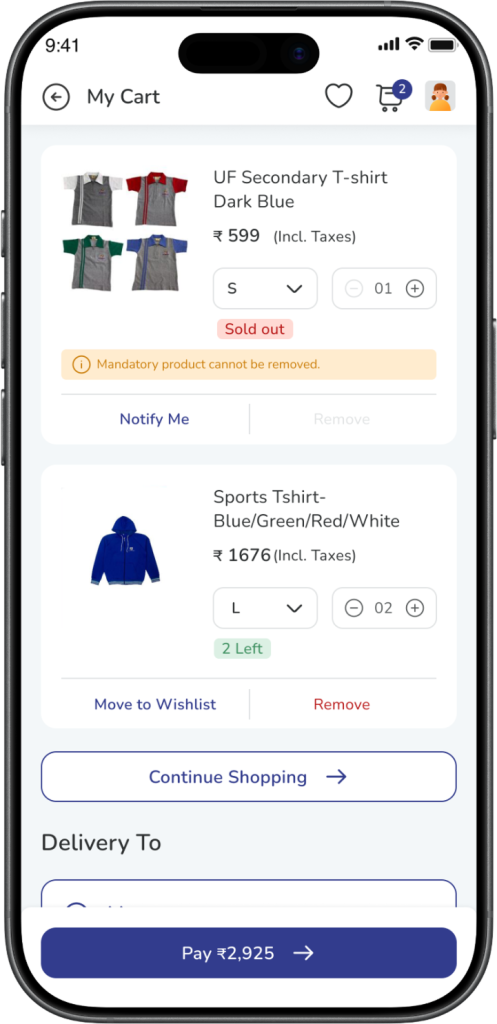
Expected Result:
The out-of-stock mandatory product remains in the cart and can be purchased later when available.
Does This Affect Enrichment Programs or School Textbooks?
No.
Mandatory uniform logic applies only to the Uniforms flow.
It does not stop you from buying:
- Enrichment Programs
- School Textbooks
- other available non-uniform product categories
You can continue to buy those whenever they are available in the Store Module.
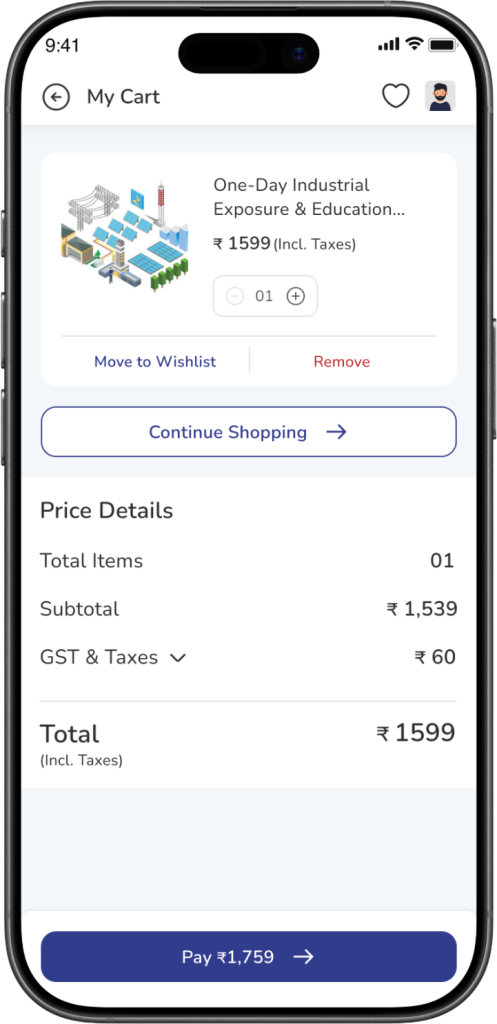
Expected Result: Mandatory uniform rules apply only to uniforms, not to other product categories.
When Does the Mandatory Logic Stop Applying?
The mandatory logic is applicable only for the current academic year and only until the required mandatory uniforms are purchased.
Once the mandatory products are purchased for that academic year:
- they will not be added again automatically
- normal uniform shopping flow will apply for the rest of that academic year
If mandatory products are configured again for the next academic year, the same logic may apply again for that year.
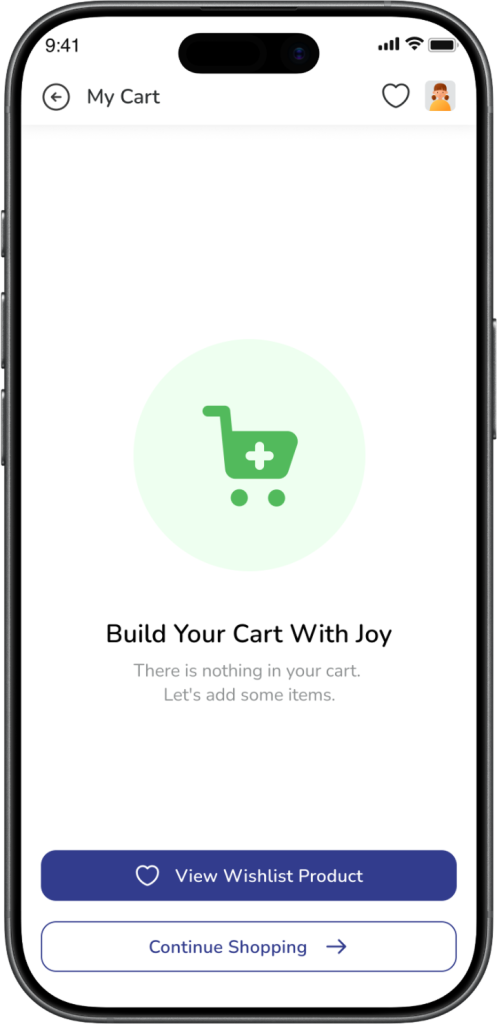
Expected Result: After mandatory uniforms are purchased once for the academic year, normal shopping flow resumes.
Frequently Asked Questions (FAQs)
These uniforms are marked as mandatory for your child for the current academic year.
No. Mandatory uniforms cannot be removed from the cart.
No. You cannot reduce the quantity below the required mandatory quantity.
Yes. You can buy more than the mandatory quantity if needed.
You may not have selected the required size for all mandatory products yet.
Yes. You can add other uniforms and buy them together with the mandatory uniforms.
No. If mandatory uniforms are pending in the cart, they need to be purchased first before buying other uniforms separately.
It will remain in the cart and can be purchased later once it comes back in stock.
No. Mandatory uniform rules apply only to uniforms.
No. Once purchased for the current academic year, the same mandatory logic will not apply again in that academic year.