
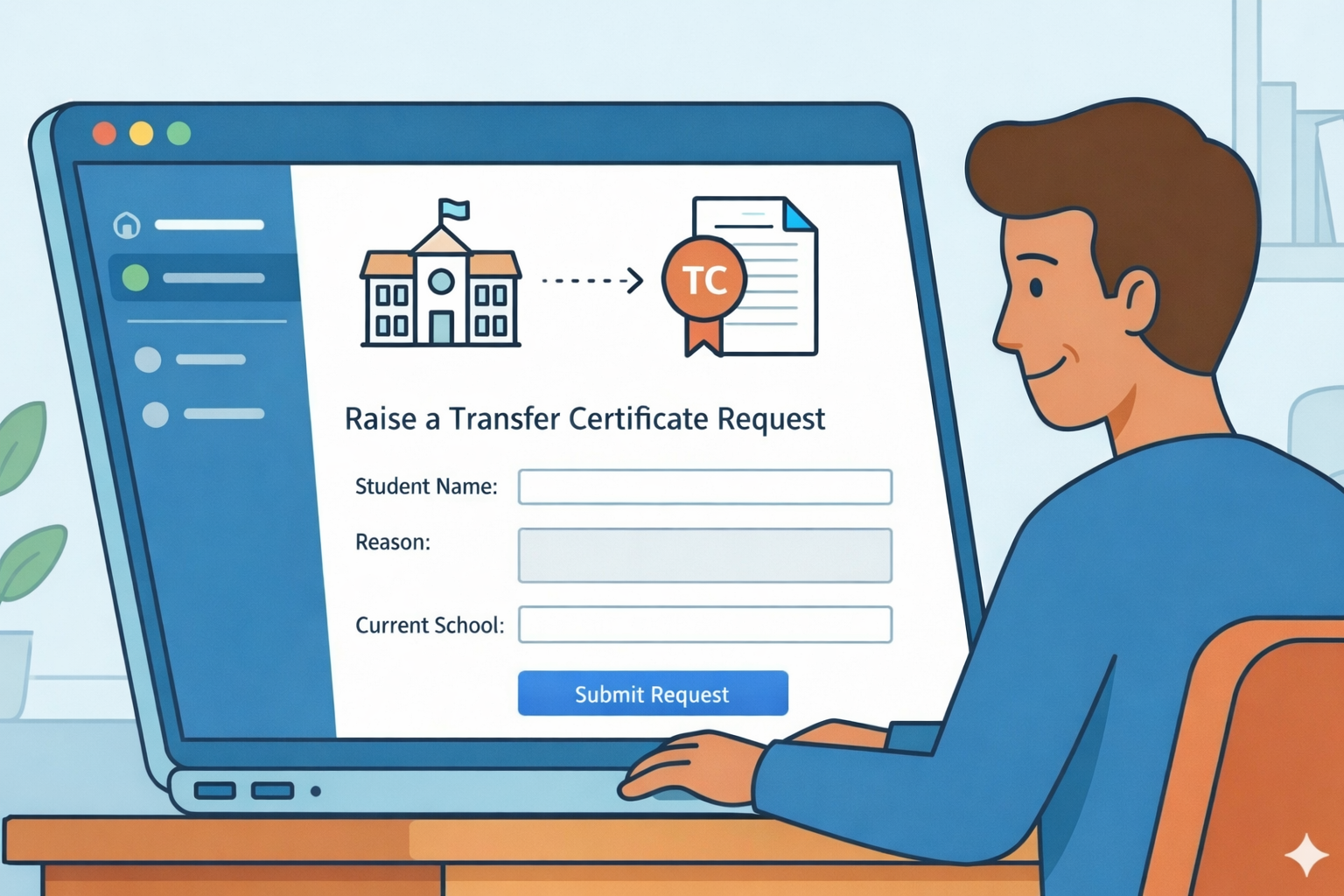
The Transfer Certificate feature allows parents to digitally submit a withdrawal request through the LMS. This centralized process ensures transparency and allows both families and school staff to track the status of the request in real-time.
How to Raise a New TC Request
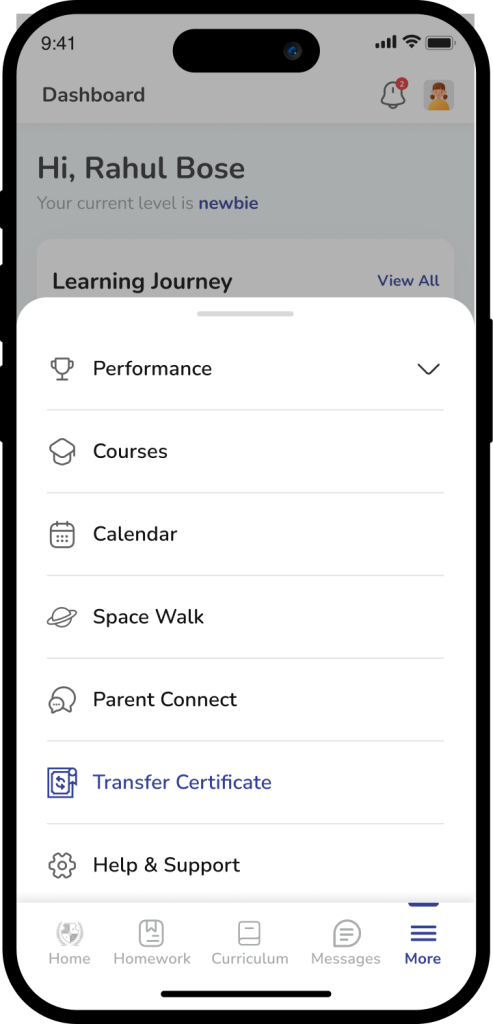
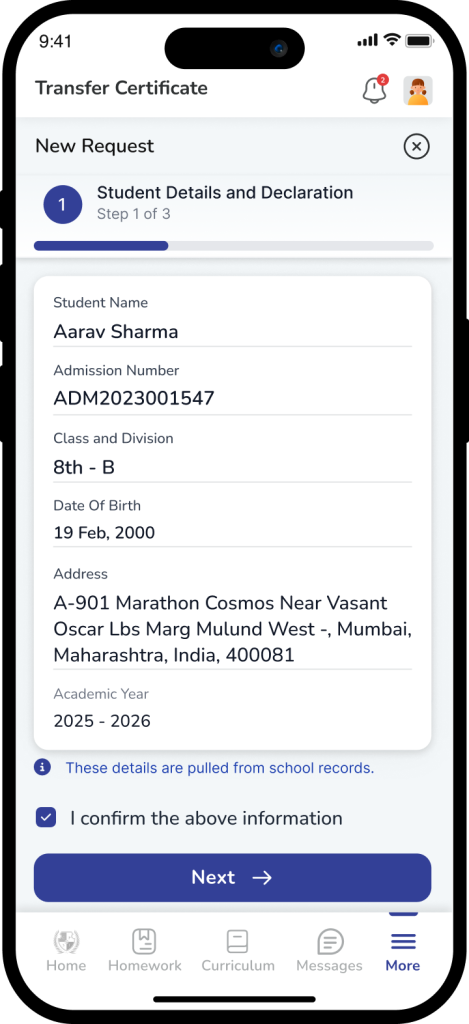
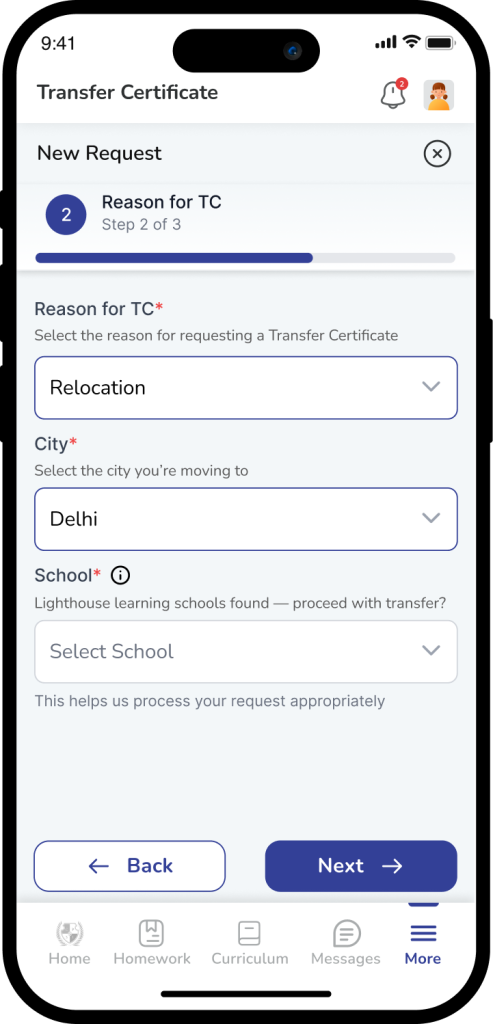
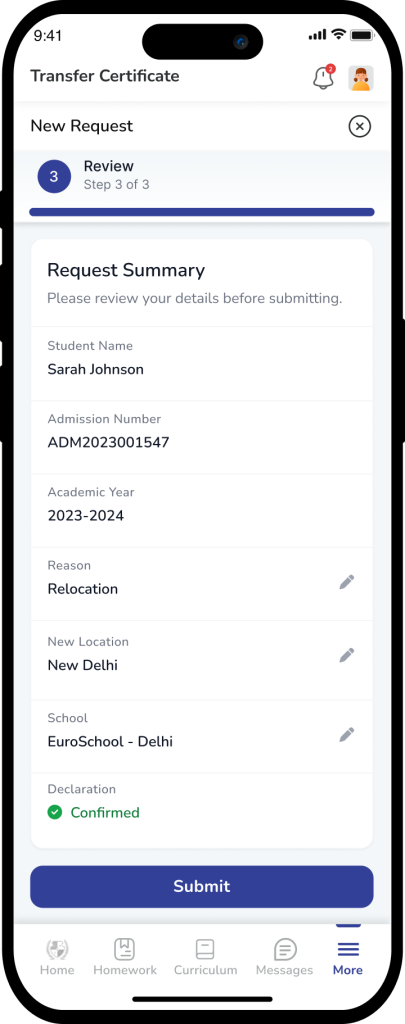
Follow these steps to submit a formal withdrawal request for your child:
- Access the Module: Open the school app and log in to your Parent Account.
- Select Student: Ensure you have selected the correct child from the profile switcher at the top.
- Navigate to TC: Open the Transfer Certificate section from the main menu or “More” tab.
- Initiate Request: Tap the Create New Request button.
- Provide Details:
- Academic Year: This field is auto-filled by the system based on the current session. It is non-editable.
- Reason for Withdrawal: Select the most appropriate reason from the dropdown menu or enter a custom reason if prompted.
- Feedback: Complete any mandatory feedback fields required by the school.
- Submit: Review your entries and tap Submit. You will receive a notification once the school administration begins processing your request.
Understanding Request Availability
If you find that the Create New Request button is disabled (greyed out), it is usually due to the following system rules:
- Active Requests: If an older TC request is still “In-Progress” or has not been officially concluded, the system prevents a duplicate request from being raised.
- Concluded Requests: You may only raise a new request if the previous one has been marked as “Concluded” or “Cancelled” by the school.
- Academic Year Locking: Since TC requests are tied to specific enrollment periods, the system automatically locks the Current Academic Year to prevent data mismatches.
Important Note
Finality of Submission: Once a TC request is submitted, it initiates a formal administrative process. If you have submitted a request by mistake, please contact the School Administration Office immediately to request a cancellation.
Frequently Asked Questions (FAQs)
This typically happens if you already have an active request in the system. Check your “Request History” to see the status of your previous submission. If the status is “Active,” a new one cannot be created.
No. The system auto-fills the academic year to match the student’s current enrollment record. This ensures the certificate is processed for the correct schooling period.
You can track the progress directly in the Transfer Certificate section of the app. The status will update from “Pending” to “Approved” or “Ready for Collection” once the school completes the formalities.
No. For security and legal reasons, only a verified Parent or Guardian account has the permission to initiate a student withdrawal and request a Transfer Certificate.
Parents cannot cancel a request directly through the app once it is submitted. You must reach out to the School Admin or Accounts Office to halt the withdrawal process.