
Almanac is the centralized academic calendar module within the K-12 LMS. It provides a structured and reliable source of information for all school-related events, including academic activities, examinations, holidays, vacations, and institutional events.
Parent and Student Guide (Desktop & Mobile App)
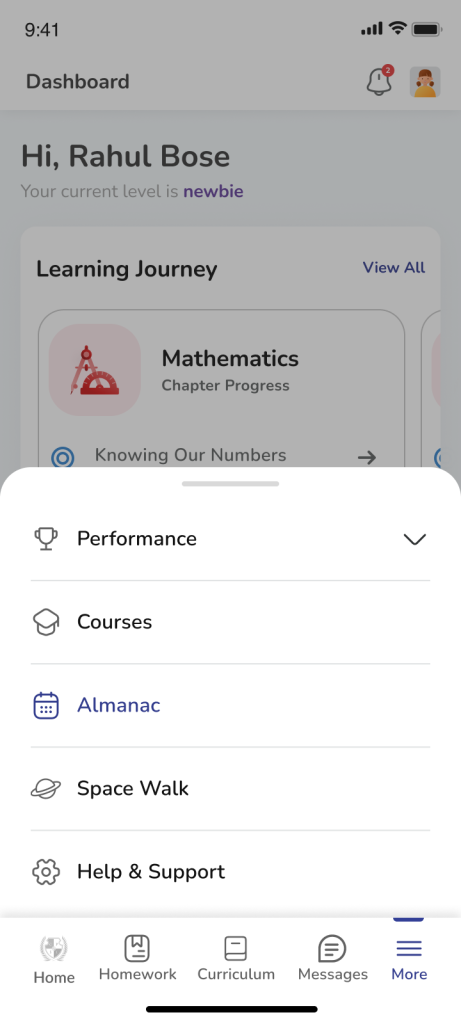
Access Almanac
- Mobile App (ios and Android)
- Login to your account
- Navigate to More –> Almanac
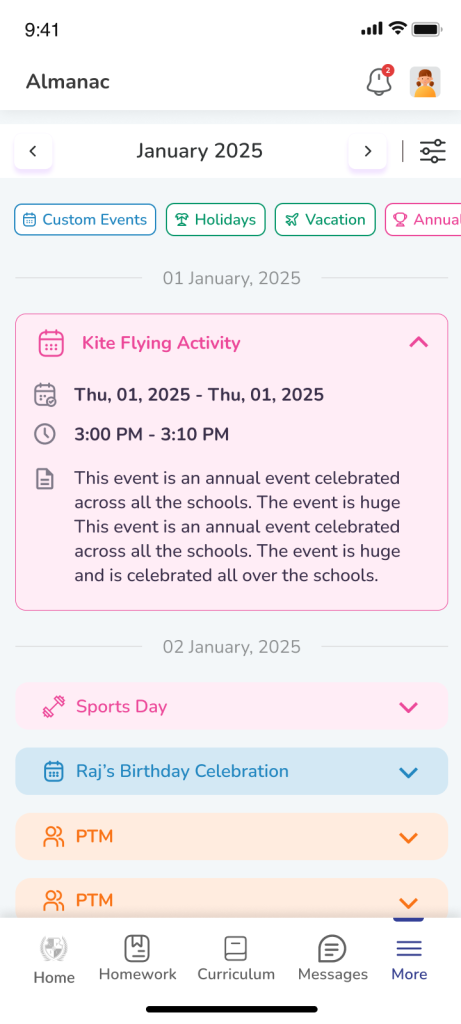
- Events are displayed in a list format
- Apply filters to customise view
- Use left and right arrows to switch months or tap the month name to change month or academic year
- Desktop (Web)
- Login to your account
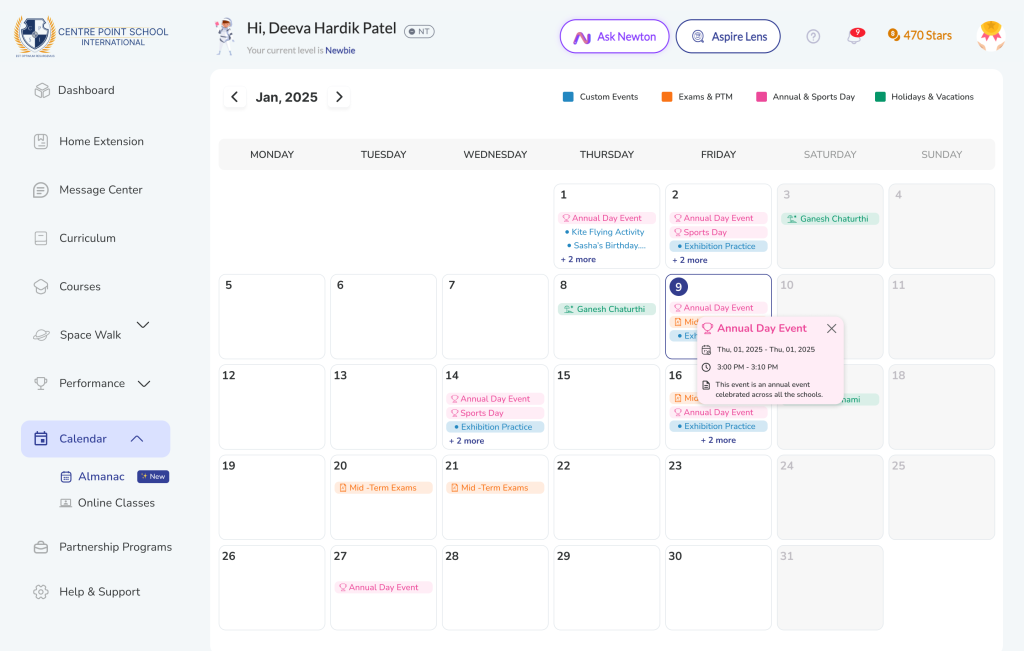
- Navigate via Side Navigation to Calendar –> Almanac
- Events are displayed in a calendar format
- Apply filters to customise view
- Use left and right arrows to switch months
Default View & Navigation
- Current month opens as default
- Mobile app auto-scrolls to current date
- Event Detail contains Event name, Date, Time and Description
Frequently Asked Questions (FAQs)
You can access the Almanac by navigating to:
More → Almanac in the mobile application.
The Almanac includes all important school events such as:
- Exams
- Holidays and vacations
- PTMs
- School functions
- Academic and co-scholastic activities
No. The Almanac is read-only for parents and students.
Events are created and managed by the school administration.
A single day may include multiple school activities such as exams, competitions, or meetings.
The Almanac displays all events scheduled for that day so you can stay fully informed.